SketchUp extension · planning compliance
VisiShadow
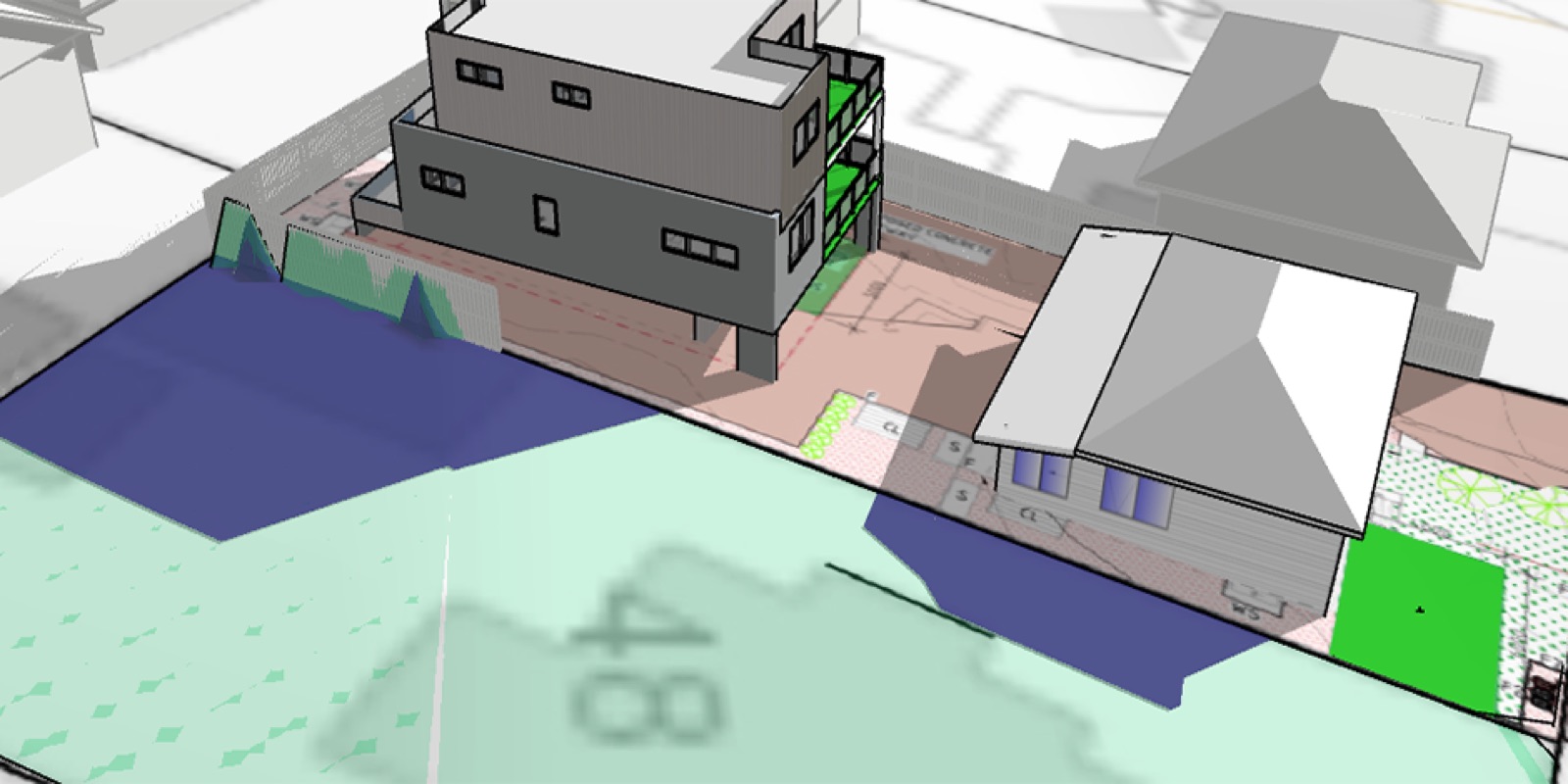
Shadow coverage percentages on flat and contoured land, calculated inside the model you already built — and the engine behind every shadow report we issue.
- Current version2.1.0
- ReleasedDecember 2025
- First releaseJune 2025
- HostSketchUp, via Extension Manager
- Analysis window9:00–15:00, hourly to 15-minute
- OutputModel overlays, compliance report, CSV
Key features
What the extension does, in the terms a planner or a modeller would use.
Private open space shadowing
Calculate precise shadow coverage percentages on POS areas to demonstrate compliance with council sunlight access requirements.
Neighbouring property overshadowing
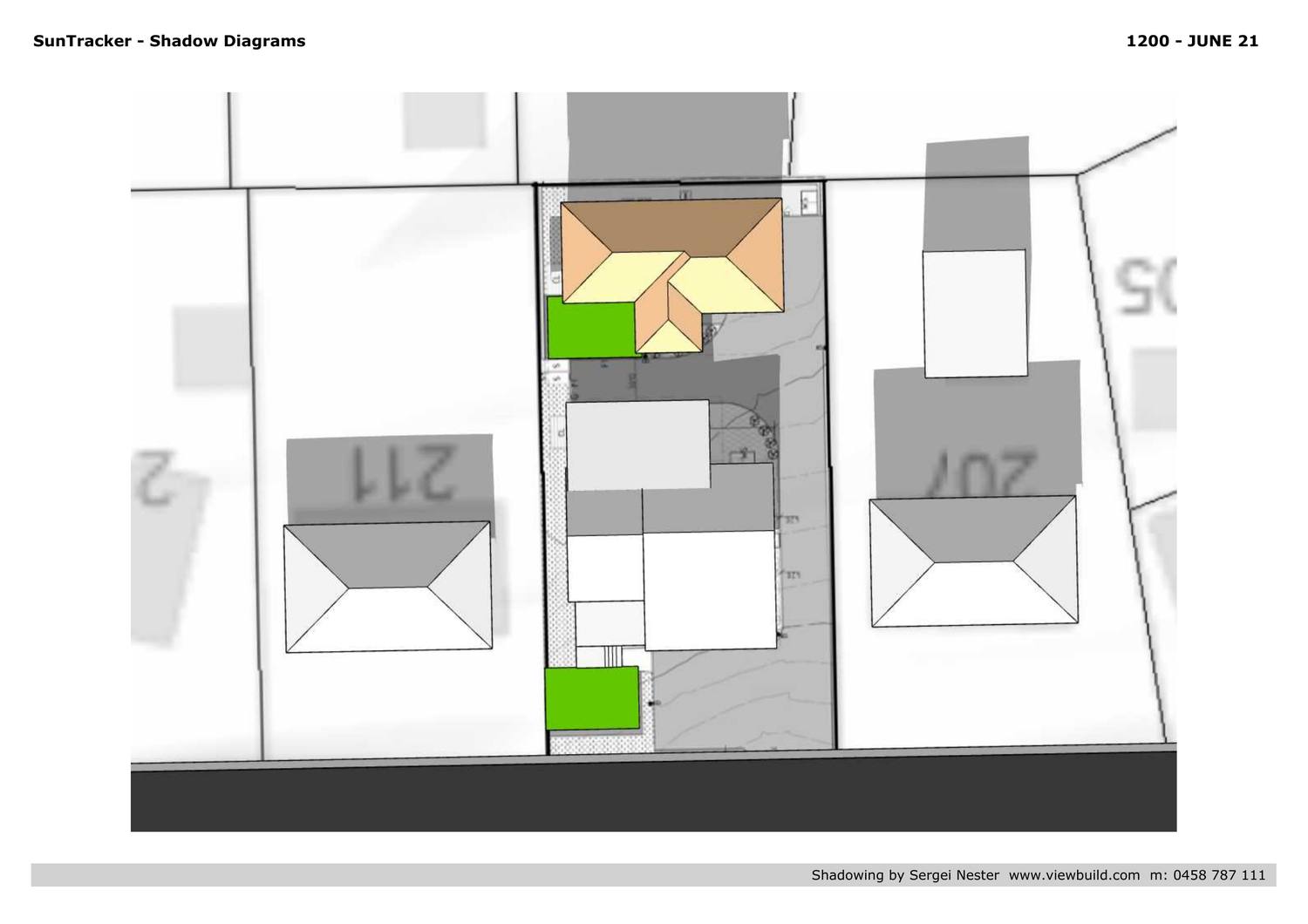
Analyse how a proposed development casts shadow onto adjacent properties, with coverage reports written for planning submissions.
Overhanging building diagrams
Hide geometry from overhanging and cantilevered buildings to show obscured shadow calculations.
Time range analysis
Analyse shadows across custom time ranges at hourly, half-hourly or 15-minute intervals, from 9:00 to 15:00.
Date presets
June 21 for the winter solstice, the September and March equinoxes, or a custom date.
Shadow animation
Play the shadow progression across the day, with overlays showing how shadow moves over each analysis area.
What is VisiShadow?
The short version, for anyone deciding whether it fits the way they work.
VisiShadow is a SketchUp extension for calculating shadow coverage percentages on both flat terrain and contoured land. Whether you are analysing private open space compliance or assessing overshadowing onto a neighbour, it produces council-ready numbers rather than an impression.
It drives SketchUp's native shadow engine and adds raycast detection, so it handles the cases that break simpler tools: overhanging building elements, cantilevered structures and sloping sites. Coverage is calculated across the whole specified time range, which is what a planning scheme actually asks for.
Results appear as visual overlays directly in the model, and the shadow progression can be animated through the day. Export a report or CSV for the DA or BA submission.
Installation
Five minutes, once. The extension installs like any other .rbz.
- Download the
VisiShadow.rbzextension file from the SketchUp Extension Warehouse or from ViewBuild. - In SketchUp, open
Window → Extension Manager. - Click
Install Extensionand select the downloaded .rbz file. - Restart SketchUp to complete installation.
- Open VisiShadow from the toolbar, or via
Extensions → VisiShadow. - Draw private open space areas as closed shapes and label them
P.O.Sfor automatic detection.
Version history
What changed, and when.
Enhanced reporting and DST support
- Daylight saving time — optional +1 hour offset for accurate seasonal analysis
- High quality mode — smooth polygon rendering for presentation-quality output
- Improved CSV export — additional metadata and compliance summaries
- Calculate selected — analyse only the selected POS areas for a faster workflow
Visual overlay system
Major update introducing visual shadow overlays and animation playback.
- Shadow layers — visual representation of shadow coverage on calculation areas
- Animation playback — play the shadow progression with a time slider
- Show overlays — toggle visibility of calculated shadow layers
- Remove calcs — clear all calculated shadow data for a fresh analysis
Time range controls
- Custom time range — set analysis start and end times, typically 9:00–15:00
- Interval selection — hourly, half-hourly or 15-minute analysis intervals
- Preview slider — scrub through times to preview SketchUp shadow positions
Date presets and compliance thresholds
- Date presets — June 21 winter solstice, equinox dates, custom date picker
- Show report — generate a compliance report with percentage calculations
- Threshold warnings — visual indicators when shadow coverage exceeds limits
Initial release
First public release of VisiShadow for private open space shadow analysis.
- POS area detection — automatically detect areas marked with P.O.S labels
- Raycast shadow analysis — accurate shadow detection using raycast sampling
- Calculate all — analyse every detected POS area in one operation
- HtmlDialog control panel — modern interface for shadow analysis controls
- CSV export — export shadow data for documentation and analysis
Also from ViewBuild
Both plugins came out of our own shadow report and visualisation work.